


Learn to earn
with AI videos
Create your own Reels and take on paid video projects
 From idea to Reel
 ChatGPT
Your story
starts here
IdeaCharactersScenes
 CapCut
 Flow
Our first month
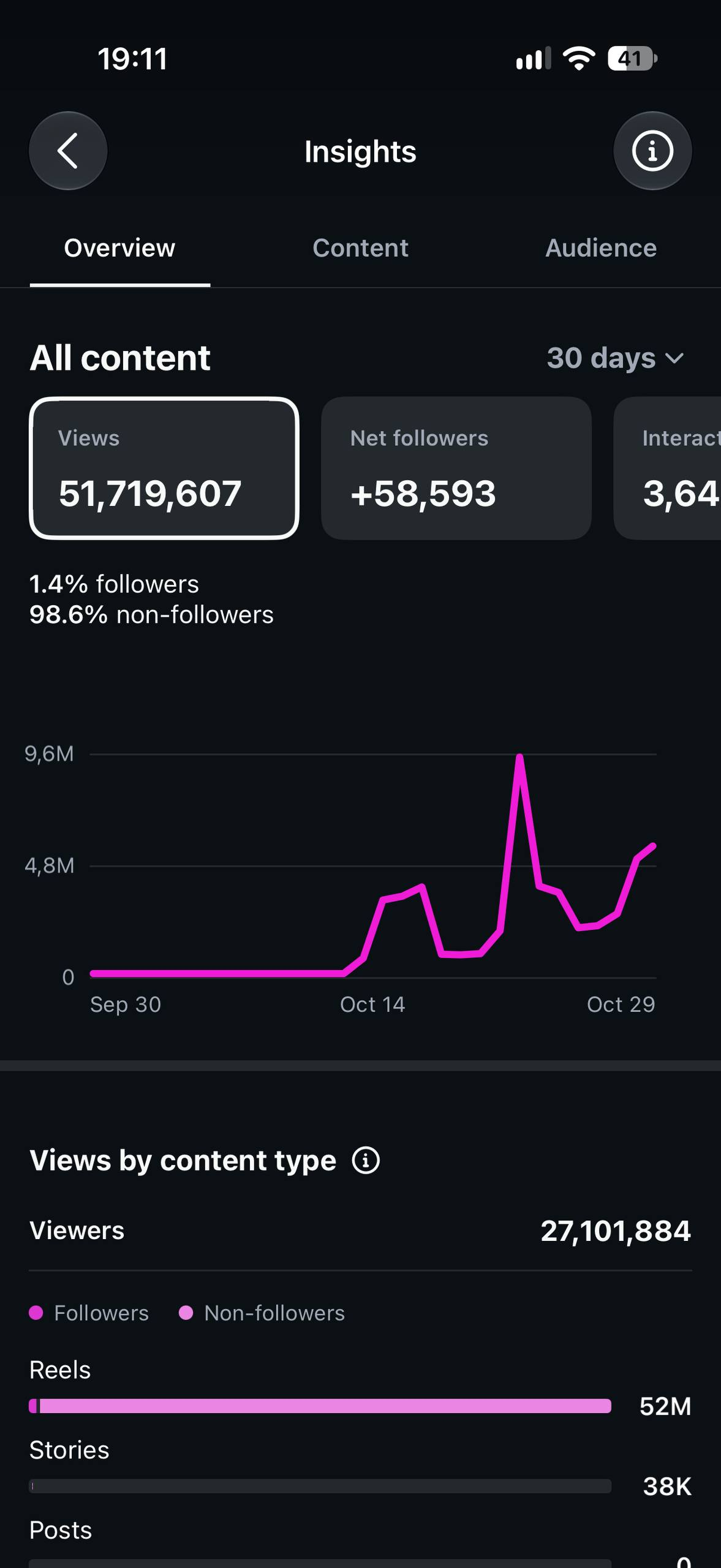
Results from one of our AI video channels
51.7Mviews in the first month
+58.6Knew followers in the first month
And still growing
See the channel on Instagram @cutepawframeNow 63M+ total views · 77K+ followers
What’s in the course
Make your first AI video
Create characters, animate your scenes and edit the finished video
Grow your channel
Find ideas for your niche and plan posts people want to watch
Find paid video work
Learn how to approach client projects and work with brands
8 screen-recorded lessonsReusable master promptsPractical exercises
Illustrated PDF guide
Step-by-step instructions, prompt templates and checklists to follow alongside the lessons. We’ll add the PDF to both plans at no extra charge.
IN BOTH PLANS
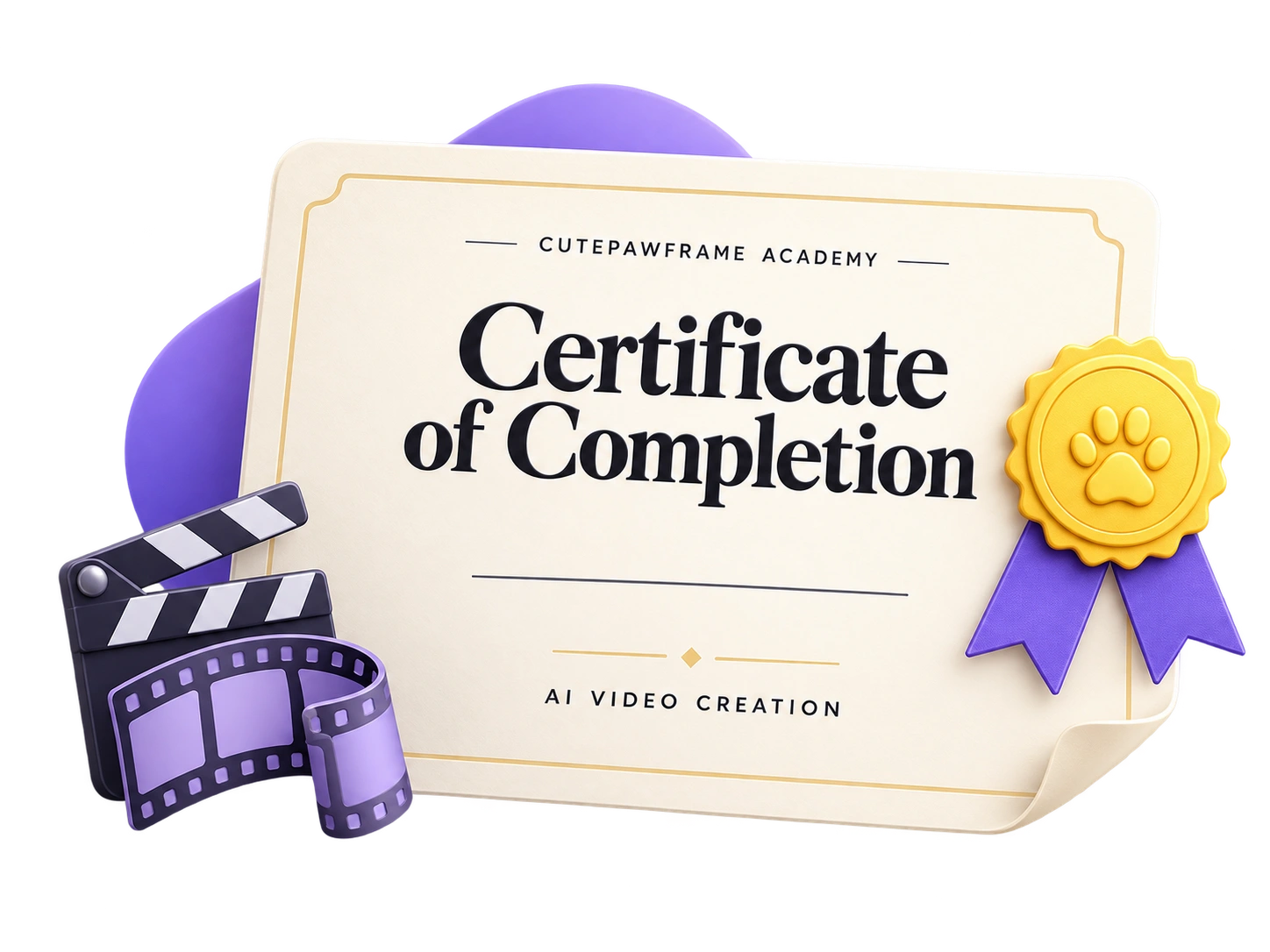
Your completion certificate
Complete the exercises and submit your final video to request a certificate in your name
THE PROGRAMFrom your first idea
From your first idea
to a finished short
About 34 minutes of video. Lessons run from 2 to 6 minutes, ready to replay as you practise.
01The complete workflow2:10
See how one idea becomes a finished short.
02Ideas that hold attention4:58
Choose a hook, build a story and make the ending work.
03Characters, scenes and prompts5:30
Prepare matching images and a clear plan for every scene.
04Bring your scenes to life6:05
Follow the on-screen steps to animate your images.
05Choose your generation tools2:57
Compare SYNTX and Higgsfield as alternative workflows.
06Edit your first short3:26
Trim, arrange and export your clips in CapCut.
07Build your Instagram account5:17
Set up your profile, research ideas and plan your posts.
08Ways to earn3:48
Learn about client videos, brand deals and affiliate programs.
WHAT YOU NEED
A simple starter setup
You don’t need a subscription to every tool in the course.
Plan & create images
ChatGPT · Start with the free tier
Animate your scenes
Flow · Try the available free credits
Edit your video
CapCut · Use the free editing tools
OPTIONAL TOOL BUDGET$0 to try · about $20/month to expand
Free quotas let eligible accounts try the tools. For more video generations, Google AI Pro is listed at $19.99/month in the US. Paid plans and generation credits are separate from the course.
Alternatives & current prices +
SYNTX and Higgsfield are alternatives for image and video generation. You can choose one generator; you do not need to pay for all three. Free quotas, available models and local prices vary by country and account.
OUR STUDENT’S STORYMeet Mia
MIA’S INSTAGRAMMeet Mia
Our student
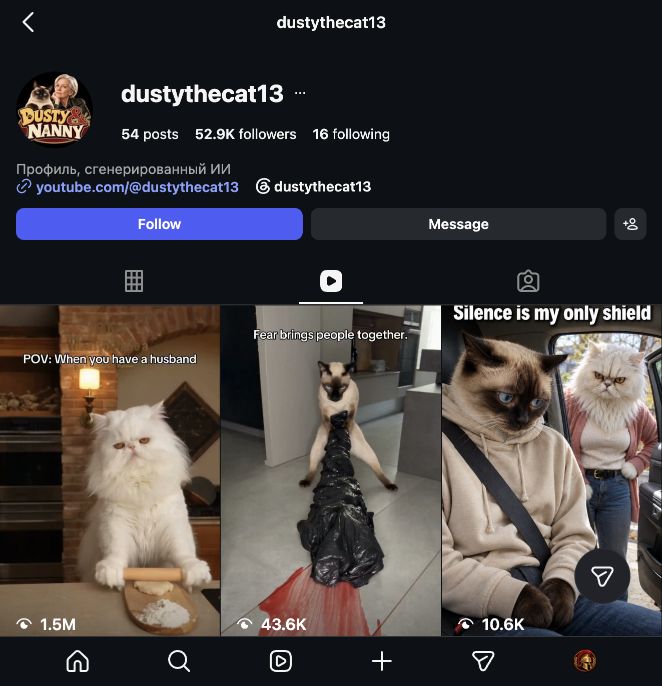
Mia started @dustythecat13 from zero after taking our course. In less than a month, she reached 52.9K followers and 1.5M views on one Reel. She now earns from client videos, affiliate programs and brand deals.
FIRST MONTH$1,200
Client video projects
SECOND MONTH$2,200–2,500
Client videos, affiliates & brand deals
52.9Kfollowers
1.5Mviews on one Reel
Mia’s name has been changed for privacy
 Her account Her videos Her results
CHOOSE HOW YOU LEARNThe full video course
The full video course
With or without a mentor
One-time payment. Course offer through Friday, November 6.
SELF-PACED60%+ OFF
Video Course
8 video lessons + a step-by-step PDF guide
$85one-time
- All 8 English video lessons
- Illustrated PDF guideStep-by-step instructions, prompt templates and checklists · Will be added at no extra charge
- Personalised completion certificateComplete the exercises and submit your final short
- Ready-to-use master prompts
- Practice tasks and course materials
- Access with no scheduled expiry
- Help with access on WhatsApp
PERSONAL SUPPORTABOUT 55% OFF
Video Course
+ Mentorship
Videos + PDF guide + 30 days of feedback
$160one-time
- All 8 English video lessons & master prompts
- Illustrated PDF guideStep-by-step instructions, prompt templates and checklists · Will be added at no extra charge
- Personalised completion certificateComplete the exercises and submit your final short
- 30 days of support from Rollan
- 4 video reviews · one per week
- Questions in one Telegram or WhatsApp chat
- Replies within 2 business days
- Bonus lesson: scale your channel network
Feedback is by message, without live calls. The bonus lesson will be added to your course
One-time payment in USD · Secure Whop checkout
About local taxesDepending on your country, Whop may add local tax at checkout. This is a tax, not an extra fee from us. You’ll see the final total before you pay.
Before you start
What is included in each plan?+
Both plans include all 8 English video lessons, master prompts, exercises and a personalised completion certificate after you submit your final short. An illustrated PDF guide with instructions, prompt templates and checklists is being prepared and will be added at no extra charge. Mentorship also includes 30 days of feedback and a bonus lesson
How long does the course take?+
The 8 core lessons total about 34 minutes. Watch and replay at your own pace. Allow extra time to generate, edit and practise.
How do I get access?+
Pay once through Whop. After payment is confirmed, the course appears in your Whop account. Return to the lessons in the same Whop account on any device. Access has no scheduled expiry and no recurring subscription
Do I need paid AI subscriptions?+
Tool subscriptions are separate. Eligible free accounts can try ChatGPT, Flow and standard CapCut editing. For more generations, choose a plan with one video tool. SYNTX and Higgsfield are alternatives, not extra subscriptions you must buy.
How does mentorship work?+
Rollan provides 30 days of support from purchase. Send one video each week for review, up to four videos in total. Keep your questions in one Telegram or WhatsApp chat; replies arrive within two business days. Support is asynchronous, without live calls.
Can I learn on my phone?+
You can watch the course on your phone. A computer is more comfortable for some image generation and editing steps.